Nearly everything you’ll need to do on Wordpress someone’s been there and done it first. One of the great things about Wordpress is that there’s so many plugins available and they’re so easy to install on your theme.
Here’s 10 (+bonus) plugins that I used on my Wordpress theme that should aid both you and your readers.
1. Popular posts
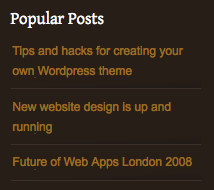
Over time your most popular and useful posts will slowly fade away into your archives. Use this handy plugin so you can showoff your top posts to new readers in your sidebar.
2. Redirection
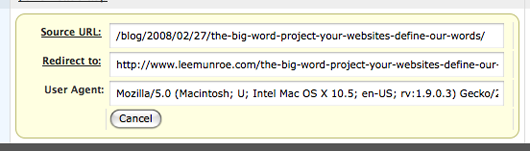
Highly recommended. Takes a log of any 404 (page not found) errors on your site and then you can add 302 redirects for these errors, ensuring that future users don’t come across the same errors and search engine bots are directed towards the correct url. Particularly useful if you change the structure of your site and all your old incoming links break.
Edit: It lets you add 301 redirects (i.e. permanent redirects) rather than 302 redirects
3. Sideblog
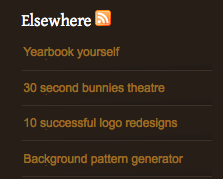
I introduced a sideblog into my site so I could refresh my content daily without the need for having to write long articles. It’s good to share other sites you come across.
4. Similar
If a user enjoys reading one of your articles, chances are they’ll enjoy your related articles. Keep them reading on your site as long as possible by recommending similar posts.

5. Code Auto Escape
This handy plugin is for writing articles or tutorials that include code snippets. Everything you write between the code tags will be escaped, so you can just copy and paste the code from your editor.

6. Gravatars 2
Add a face and some personalisation to your user comments by adding Gravatars. Users can associate gravatars with their email address by uploading a photo on gravatar.com.

7. Sociable
Sociable adds the tiny icons to the end of your post that allows your users to share and promote your article via external networking sites. It is fully customisable so you can decide what icons you want listed.

8. Subscribe to comments
This is a good way to get conversations going on your blog. Allowing a user to subscribe to comments means that every time someone comments, they get notified, which can potentially get you another comment from them.
9. WP-Pagenavi
The default pagination with Wordpress isn’t great so dicky it up a bit with this sweet plugin.

10. Akismet
Stops most of the spam that comes through as comments on your blog.
You will need an API key to activate Akismet on your blog. To get this, signup to Wordpress.com and your API key should be emailed to you. Alternatively, login to Wordpress.com and select ‘Edit Profile’ from ‘My Account’. Your API key should be displayed on this page.

Bonus: Amazon Showcase
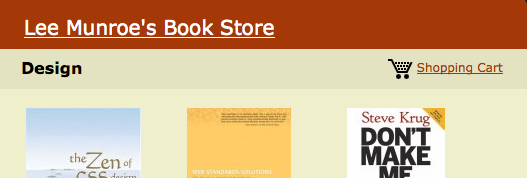
Sign up for an associates account on Amazon then for every book you refer to someone, you will get a percentage of the sale in your pocket. This showcase plugin allows you to easily show your favorite books and links them through to Amazon with your referral ID.

Go one step further and setup an aStore so you can show your users all the books you recommend.
Further Reading
Receive more design content like this to your inbox
I promise not to spam you. No more than one email per week.