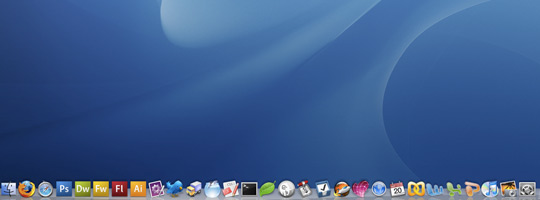
15 mac apps web designers should have in their dock
Back in June when I was converting from a PC to a MacBook Pro (best decision I ever made) I asked around to see what apps people recommended for the Mac. There are a lot of nice apps available for Mac OSX that aren’t available for Windows.
I’ve compiled a list of Mac Apps I have in my OSX dock that I use on a daily basis and should be useful to other Mac users and/or web designers.
1. Adobe Creative Suite
An obvious and primary requirement (I feel) all serious web designers should have. I couldn’t get through the day without Photoshop while Illustrator and Flash are constantly called upon. I hear Fireworks is good too, especially for compressing images, but I’ve yet to use it myself.
2. Transmit

Transmit is an FTP client for Mac. Edit remote files, synchronize, search, SSL, tabs; it covers all your daily FTP needs.
3. Coda

Coda is a light-weight all in one text editor. You can edit your code, preview your web page, upload to server (integration with Transmit), edit CSS and run commands in Terminal; all from within this one app. I would use Coda for front-end development.
4. Textmate
Textmate is another text editor that I prefer using for back-end development. Code completion, snippets, syntax colouring are some of the things I enjoy about Textmate along with ease of customizing fonts and colours.
5. CocoaMySQL

CocoaMySQL gives you an interface to work with your MySQL databases. This is a desktop alternative to PHPMyAdmin, which is a lot quicker and in my opinion a lot easier to operate.
UPDATE 13/12/08: CocoaMySQL has been abandoned and replaced with Sequel Pro. Works just as well and looks even better. Check it out.
6. MAMP

MAMP is an easy way to get Apache, MySQL and PHP up and running on your machine. Just by running MAMP all these three services will be up and running, no messing around in Terminal needed.
7. Things

Great app for getting things done. Set yourself project tasks and daily tasks and check them off as and when you get them done.
8. CSS Edit
A very good CSS editor. It allows for real time previews of your website and styles and is a very efficient app allowing you to easily find all styles being applied to certain elements.
9. Transmission

Transmission is used for downloading/uploading torrents over the net. Useful for sharing files with friends and colleagues (among other things)
10. MarsEdit

MarsEdit allows you to compile draft blog posts on your local machine before publishing them live on your blog. I use it daily to take notes on various blog topics I think of and then I can easily compile a blog post over the course of a week.
11. Skitch

I was only recently introduced to this by GoodOnPaper @ FOWA. Allows you to easily share images/screenshots on the web and using the Skitch editor you can add notes to your image or highlight areas of a screenshot. Very useful and saves having to load up Photoshop for simple tasks.
12. Parallels Desktop

You can run Windows XP or Vista on your Mac using Parallels. Handy for being able to test your websites in versions of IE (using Multiple IEs) and if there are any Windows only apps you need to use, e.g. Microsoft Access.
13. Office

A good old favorite for creating text documents, preparing slideshows or looking after sets of data. There are a few Mac alternatives, and of course online alternatives, but I personally prefer Office.
14. Paparazzi

Paparazzi takes full screenshots of webpages. The problem with Cmd+Shift+3 is that it only takes a screenshot of the visible screen. Paparrazi takes the whole height of the page, even below the fold, so it’s great for showing screenshots of your web designs.
15. Twitterific

Easily interact with Twitterland via Twitterific. Saves you having to make the trip to Twitter to see what’s going on as it can retrieve and send tweets for you.
Others worth looking at
- Firefox Firefox is a fantastic browser with fantastic extensions for web designers like Web Developer Toolbar and FireBug
- Pixelmator Cheap alternative to Photoshop
- Lineform Cheap alternative to Illustrator
- Flickr Uploader Easily upload your photos to Flickr
- Skype Have your conference calls for free over the web
What apps do you use?
Let me know what apps you find useful and you think should be included in the list above.
Related articles
99 Appreciated Comments
Have a comment? Tweet @leemunroe and I'll be glad to respond.


On the , David Lowry said:
I haven’t tried Office 2008 yet but gotta say I loved the dissertation writing process using Pages and Keynote for presentations are great and make things look good very easily.
Good list!
On the , Brian Hoff said:
I also use Time Tracker for, obviously, keeping track of the time I spend working. Nice, simple, light-weight app
On the , Danny Turley said:
Alternative version to parallels desktop is VMware Fusion. I think it does some nice stuff such as, for previewing your site in ie from coda.
Another nice app is the color schema studio (http://www.colorschemer.com/).
Alternative to transmit is fetch, another great ftp program.
On the , Jayphen said:
Even better – install Quicksilver & save the dock space ;)
This article has prompted me to give Skitch a try.
On the , seraphiel said:
Don’t forget the Pixelmator Tutorials video podcast!
They are available on http://pixelmatorpodcast.com
and on iTunes: http://phobos.apple.com/WebObjects/MZStore.woa/wa/viewPodcast?id=284768359
On the , Harley said:
Hey! Awesome list man! There were even a few that /I/ Didn’t know about! Well done! will be sure to check out the missing links ;)
On the , Phil Thompson said:
I also use VMware Fusion – I’ve recently made the switch to it from Parallels and I won’t be going back.
On the , Shaun Barnes said:
As mentioned above use Quicksilver and no need for a huge dock.
Don’t need Transmit if you’re using Coda (or CSS Edit really)
VMWare is much better than Parrallels too..
Adobe suite is a given, excellent to see Coda, MAMP, Things & Transmission in there, love those apps!
CocoaMySQL looks nice, will be checking that one out, thanks!
Nice site btw!
On the , Elisa said:
I personally prefer NeoOffice ( http://www.neooffice.org/ ) . I don’t do anything all that fancy with my Office documents like text editing and simple spreadsheets that I need to pay so much for an Office suite and NeoOffice is compatible with Word, Excel and Powerpoint documents that it’s not a problem. And it costs nothing which might be a big thing for a newbie freelancer.
There’s plenty of free alternatives to everything but I’d definitely put my money on the Adobe Creative Suite instead of Office.
Also, Textmate is a great editor but if you want to save a few bucks I’d definitely recommend using something like Smultron ( http://tuppis.com/smultron/ ) which is absolutely free and a great code editor, works great with Transmit.
If you’re a freelancer web designer then you definitely want to use an app that keeps track of the time you spend on projects. I highly recommend something like On The Job from Stunt Software ( http://stuntsoftware.com/OnTheJob/ ) which is a fantastic way to track time you spend on each project. I use it on all my projects and it’s a great way to see how much you actually spend time on projects.
On the , Blaze said:
I don’t really see the point of having Transmit, CSS Edit, Textmate AND Coda. Coda pretty much covers what these other apps do.
So if you’ve spent $99 on Coda, there’s no need in forking out the extra $129 for the other apps (or vice versa).
On the , Vincent said:
Great list, will look into some. Offtopic, but they all have awesome icons too!
On the , Jim Cook said:
For FTP, Cyberduck (free). M$ Office? Replace it with OpenOffice 3 (free). TextWrangler (free) for text editing, Aptana Studio (Community Edition is free) as an IDE. I liked Navicat Lite (free) much better than CocoaMySQL.
Can’t argue with CSSEdit (rocks!), MAMP or Transmit though.
On the , Elisa said:
I have to just add I used MAMP in a recent project and it’s definitely a must for my future projects. I can create PHP/MySQL websites and things like WordPress theme creation and test them offline plus it’s really handy when the net connection is down and you need to finish a project. No more excuses :D
On the , Matt Varone said:
Nice post, for me it’s textmate, PS and transmit. In regards MySQL i would suggest to use Sequel Pro ( based on CocoaMySQL source code ) http://www.mjmedia.com.au/sequel-pro.html . Also MySQL offical tools are a must for me.
On the , Lee said:
Great feedback guys. Some good additional suggestions, especially the free apps, a lot of which I haven’t heard of before.
On the , Kyle Boyd said:
Great post, I now have Skitch and Paparazzi, and look forward to using them…
On the , Website Design Kent said:
A great list, we use most of them however I gave TextMate a miss. thinking that Coda would do the trick, I will give it a go and see if it fits in somewhere Thanks!!
On the , Mariusz said:
I work as a logo and webdesigner since roughly Y2K. Recently I alsow switched to OSX from Windows-based design. From your list, I don’t have Office, I prefer iWork. I used to have Creative Suite, but for my needs I use mostly Pixelmator and Inkscape now.
On the , John Thomas said:
15 lists not worth reading….
#1 15 mac apps….
A lazy stupid compilation of crap that only serves to get adviews on a webpage designed by the same people who designed the Lindbergh baby’s ransom note.
Good lord, 1/3 of these have nothing to do with design.
Are you really stupid enough to think having a constant distraction like twitter is going to help you design anything?
I’m surprised you didn’t put Warcraft on the list while you were at it.
On the , Ray said:
Microsoft Office? When Open Office 3.0 is available? You’ve got to be kidding!
On the , Dave B said:
I used CocoaMySQL for awhile as a PHPMyAdmin alternative. It got the job done alot but locked up and crashed more than I cared for.
Navicat is a great alternative or something to consider – runs on both PC/Mac. I’ve been thrilled with it. Worth the $75 if you do alot of MYSql stuff and across a few different sites/connections. http://www.navicat.com
On the , Vin Thomas said:
I wouldn’t forget LinoType Font Explorer X. Every designer should be using a font management system!
http://www.linotype.com/fontexplorerX
On the , Mike Berg said:
iPhoto Library Manager – http://www.fatcatsoftware.com/iplm/
Manage multiple iPhoto Libraries, free. I make a new iPhoto library for any photo-heavy client.
Linotype FontExplorer – http://www.linotype.com/fontexplorerX
Best free font management, with built-in store
Hex color picker – http://wafflesoftware.net/hexpicker/
Free OS X picker, easy way to grab hex values from anywhere on the screen and copy to clipboard.
Websnapshot – Adobe AIR – http://myspyder.net/tools/websnapshot/
Free. Capture an entire website and set automatic scaling to create thumbnails, etc.
On the , Lee said:
@John Thomas: I think it’s a useful post especially for web designers converting to macs.
Ok, 1/3 of them might not be directly to do with design but I feel they all contribute to a good designer. e.g. Microsoft Office (or Office alternatives) isn’t to do with design but is useful for writing specs, invoices, dealing with client assets, making presentations at talks or to clients etc.
Twitter is a useful tool for following web designers who write good articles, make good apps or recommend good articles. And you can set it to refresh every hour (or turn it off) so it’s not a constant distraction.
On the , Shaun Barnes said:
Big thanks to Matt above for mentioning Sequel Pro, it’s great!
Looks and feels like a proper Mac app, works great, seems very fast & stable and best of all is free!
On the , Benjamin Uzelac said:
“Install Quicksilver and save the dock space” – Even though I agree with this 100%, nobody wants to read an article called “15 mac apps web designers should add to their applications list so they can be opened with quicksilver” ;)
My list consists of:
-Office 2008
-Safari (and the latest nightly build of WebKit), Firefox, Opera
-Adium (but will be replaced by Trillian Astra when it’s released) & Skype. For keeping in contact with friends, NOT* clients
-NetNewsWire, my RSS reader
-Coda
-Cyberduck. A free FTP client that does the trick. Plus I don’t like Coda’s FTP interface that much
-FileMerge. This comes with Xcode, available at Apple’s developer site
-RapidSVN, so I can check in my files to version control
-CS3 Design Premium. Soon to be CS4.
-Parallels & VMware Fusion in case I have to check that dreadful browser… Internet Exploder
* Don’t ever give your IM info to clients. No matter who they are, you will get bugged whenever you log on.
On the , Neil said:
Together with these productivity apps and you’re a winner.
http://thenexttrain.co.za/2008/09/top-5-tools-to-increase-productivity/
On the , Soheil Alavi said:
Recently I made a switch from Pc and I’m new to mac and I found your website by searching “macs for web designers”
but still I switch to windows via bootcamp to get my web projects done. maybe because still I haven’t get used to it but something tells me that windows works well. it would be great if you can help me out.
First, I think Tasks such as Copy, Cutting, Pasting, Taking Screenshots are easier in windows. also the Star Menu bar gives you a very quick overview of everything which makes switching between apps and folders so much easier when you are designing. working with softwares also I think better in windows which everything is in full screen mode and plain allows you to focus on your project. Also I have some problem with photoshop in mac (instant switching between layers mode “normal, darken, screen” with arrow keys which u can’t do in in mac)
I don’t want to get back to windows as I really enjoy being in Os X environment. I do all of web surfing and fun stuff with OS X but still as a Professional designer and as I’m responsible to my clients, still I can’t only depend on Mac. I get things done much faster and easier with windows.
did you guys face these problems? what should I do with your experience. Please don’t come up with routine answers such as you will get use to it or … pro people know What I mean. and ofcourse, lack of having IE is a huge deal for me. I keep checking my website on major browsers after writing a line of code, which the IE TAB extension for fire fox in windows do the great job. I think the thing is that when you are in windows, you don’t need mac, but with mac, you may need windows sometimes. but as I said, I want to stick with my macbook pro and OS X, any suggestion appreciated and thanks for your time reading my long comment. ( I’m frustrated :D )
On the , Shaun Barnes said:
Soheil Alavi: You clearly don’t know how to use your Mac properly yet.
Almost everything you describe can not only be done in OSX but most of them done far better than in Windows.
You keep saying ‘pro people’ but the vast majority of ‘pro designers’ I know use Macs and never Windows.
I also test everything constantly in IE, but I do it from within OSX using VMWare Fusion.
On the , Soheil Alavi said:
Shaun Barnes : thanks for your reply.
That’s the reason that I want to stick to the mac as everyone in industry tends to use mac. I’m not saying I cannot work with mac. obviously I’m doing most of my designs and daily tasks with mac, I Don’t have a big problem with mac such as lack of having a software, but what I’m trying to say is about a little trick that I get use to them in windows.
On the , Lee said:
@Soheil: I know you didn’t want to hear this but it does sound like it’s a matter of getting used to it. Most of the shortcuts you know using the ‘Ctrl’ key on the PC are replaced using the ‘Cmd’ key (or apple key); Copy is Cmd+C, paste is Cmd+V, so it’s a matter of your mind getting used to these new shortcuts. The full screen thing annoyed me at first but I got used to it and now I really like it because I can work with multiple apps a lot easier than before.
I think it’s worth just diving in with the mac, forgetting about the PC and seeing how that goes after 1 week. When I converted I waited until a week when I wasn’t super busy so that I had time to get used to it. But I can honestly say now that I am far more efficient on the mac and get a lot more done.
On the , JustinDavid said:
Thank you for the list. I switched from Windows to MacBook Pro this year and it’s been amazing. Maybe took a week to get used to the shortcuts, but now it’s no looking back.
Articles like this really help me to this day. Because of this post I tried CODA and i’m in LOVE! No more Dreamweaver for me. I have to use SVN at my job so CODA is perfect.
Parallels is essential for browser testing.
On the , Elisa said:
I switched to using a Mac in 2005 and it took me a while to get used to the shortcuts, dock and exposé and all that, but now I feel the most comfortable using my Mac and although I use a PC at work, I still feel like Mac is better for designing, my workflow is just more natural. But it takes a while to get to that comfort level especially if you’re a long time PC user like I was.
Now it’s all about Photoshop -> Smultron & Transmit -> testing with various browsers. Other than seeing that things run smoothly on IE, I don’t have much need for my PC anymore.
On the , Benjamin Uzelac said:
@Soheil
I have a few things to say.
1) Welcome to mac. I always say “Once you go mac, you don’t go back.”
2) The start bar in windows /almost/ equates to the dock in OS X. In the sense that you can see all of your open programs with just a glance (you can force the dock to be displayed 24/7. It would be like turning off the ‘auto-hide’ mode on windows)
3) Have you heard of and used exposé yet? Basically it lets you see all your windows in every program or all your windows in your current program. Go to: Apple Icon > System Preferences > “Exposé and Spaces” (on leopard at least). Then see which F## key is responsible. You’ll probably find it a useful tool! (Also if you have a mouse, the side button usually does exposé).
4) A couple people have said this above (including me), but Quicksilver is a life saver. It brings up box where you can search for any program, file, etc. Kind of like Finder, but a whole lot cooler. Look into it.
5) Regarding screenshots. Sure the print screen button is easier for windows. But did you know about all the options you have built into OS X for screenshots?
- apple key + shift + 3 = normal screenshot
- apple key + shift + 4 = drag on the screen where you want the picture taken
- apple key + shift + 4. then space = take a screenshot of a specific window, but not the whole screen.
On the , Alex Holt said:
Parallels? I recently ditched them for Virtualbox.. which seems to run just as well for everything i do (ie.. testing in IE).. and is free: http://www.virtualbox.org/
And for twitter… tweetdeck rules!
On the , Ivette said:
I just got an iMac and was completely lost. This list has been very helpful. Thanks :)
On the , Tim Glenn said:
I prefer VMware Fusion to Parallels. It works flawlessly with Visual Studio 2k8 for those .NET projects you have to work with.
On the , Ryan Coughlin said:
Great article! Most of those I have on my dock, but there were a couple that I want to go take a look at and download.
Thanks!
Ryan
On the , Barry Corrigan said:
Great Post Lee and Soheil converting to a mac will be the best thing you will ever do. When I was considering going for a mac I wasn’t sure weather to r not. But it was the best decision I have ever made even if I didn’t have the money to pay for it (monthly payments for 3 years :( )
On the , Adam bourg said:
I have found that I like iWork over Office, and Virutal Box (free, by Sun) over Parrells and VMware. Also be sure to check out Ubuntu linux run that under Virtual box, I have found gedit in Ubuntu as a nice text mate replacement.
On the , Carlos Hermoso said:
I’m thinking about switching to a MacBook Pro myself. Did you have the chance of trying one of the newest generation? I think I kind of like the old one more, what do you think?
On the , Lee said:
@Carlos: Yeah have tried out the new MacBooks and they’re very sweet. The trackpad is bigger and has a couple more ‘finger functions’ available. They look the business too
On the , Russell said:
Great post. I love Skitch!
On the , gibletto said:
windows has alt and print screen to take window only screenshot so its not just print screen.
On the , Jame said:
If you are cross platform a lot, I’d switch Skitch with Jing [www.jingproject.org]. Less options than Skitch, but you can quickly/easily take a screenshot, or quick 5 minute screen movie and mark it up. @gibletto prtscrn is good but you still need to open another app to markup the image. Skitch/Jing are better because you can markup and save. (or paste) into something else. Made my week when I found these options!
And to make your primary browser distraction free…try flock so you can put all your social stuff elsewhere.
I’d also add meebo or adium for multi-network IM.
On the , ryan said:
For me Textmate does work I need Coda, MarsEdit, and CSS Edit to do… so I guess my dock is considerably smaller.
On the , Mike Brisk said:
One alternative for taking and organizing screenshot & web site screenshot is LittleSnapper by RealMacSoftware:
http://www.realmacsoftware.com/littlesnapper/
On the , Dunlap Studios said:
Hey Lee, not sure you need the Paparrazi application. If you do Cmd+Shift+4 instead of 3 your cursor turns into a selection tool, anything you select will become a screenshot directly saved on your desktop in a .png format. If you do Cmd+Shift+4 and then hit the spacebar your cursor will turn into a camera which will do the same thing as Paparrazi. It’ll copy the image of the window you have up, and even include the drop shadow which looks great on blog posts. Just a tip!
Great list!
On the , Jason Lengstorf said:
I do a lot of front- and back-end code, and I’ve completely fallen in love with the Eclipse SDK. They’ve got syntax highlighting for pretty much every language available, good project management, error checking on the fly, all sorts of good stuff.
I haven’t tried the other editors, but you’ll have a hard time convincing me it’s worth switching. :)
-Jason
On the , Lee said:
@Dunlap: Wow, never knew about the Cmd+Shift+4+Spacebar thing! Although, as far as I’m aware, it doesn’t take full webpage screenshots, which is what Paparazzi does (i.e. above and below the fold).
@Mike Brisk: Little snapper looks great (although don’t know if I’d pay for it)
On the , Jason Lengstorf said:
For the Paparazzi thing, there’s a free Firefox plugin called “Screengrab!” that does full-page captures.
Also, there’s another plugin called “FireFTP” that let’s you open a tab for FTP transfers. I used to use Cyberduck, but, really, I didn’t need any of the extra features you can get with Transmit. I had Transmit installed on the computers at a company I used to work for, and it was great, but I didn’t do anything on it that I can’t do with FireFTP.
I’m all about having fewer apps to accomplish more things. It helps me stay sane.
-Jason
On the , derekbender said:
Great article but I think this list can easily be narrowed done to 7 or 8 apps. Coda does everything Transmit, CssEdit, and TextMate do. Also it would be nice to have an alternate to MS Office (I saw iWork mentioned in the comments). I also use Twirl instead of Twitterific.
Big thanks for mentioning Paparrazzi. Great little app.
On the , Josh Drake said:
Nice list! However, since most of them are shareware, I won’t use them. I prefer to use only free programs (except for Creative Suite, of course), just because I don’t have the extra cash.
How about making a list with all of the free alternatives to these programs? Now that I would like to see!
On the , abdusfauzi said:
i’m using half of what you’re listing. maybe, because i don’t like redundancy.. anyway, great list. and thanks to those who linked out the free apps. [^^]
On the , The Ad Mad said:
Nice collection…love all of these apps!
On the , shadeshigeru said:
I’m not really a big fan of this list. I opened every one you listed to look at, then went back to see if they were referral links when i saw the pages.
I have Dreamweaver, why do i need coda or any of the other apps such as that?
I have Cyberduck (Free btw) why would i need transmit?
I have twhirl (also free), why would i need twitterific?
I’m all about quality software, and i have no problem paying for a good piece if it’s worth the money, but why would i want to switch to some of these apps when i have free alternatives already? None of the websites really sell me on any of them since i already have alternatives.
I’d appreciate it if you could go a bit more in depth of why you use these particular apps instead of their alternatives, i dont mean to be rude, but if they are indeed better solutions i’d love to switch. If not, why did you mention these instead of the other options, that are probably just as well if not better suited for a new mac user?
On the , shadeshigeru said:
Oh and cocoasql is an abandoned project btw, replaced with Sequel Pro. Might want to update the list?
On the , Jonathan Patterson said:
Paparazzi is too cool. I also downloaded the Firefox extention, screengrab. This post is super helpful!
On the , Lee said:
@shadeshigeru Thanks for the heads up re. CocoaMySQL, post updated. http://www.mjmedia.com.au/sequel-pro.html
The list above is basically a list of the apps I have and use myself but I have to admit that this post has produced some really helpful feedback and there have been many useful (free) apps suggested. Hopefully this is useful to a lot of designers, especially Mac newcomers.
Keep the suggestions coming, it’s great to hear what you recommend.
On the , Paulo Pereira said:
You should try Eventbox instead of Twitterific, no ads, 30-day trial. Cocoa-based. It’s so good and cheap you’ll tempted to buy it.
On the , shadeshigeru said:
Why not thwirl… it’s free and does the same thing. Works on pc, mac, and mobile devices such as your phone.
Free, and cross platform… why is it not the obvious choice?
*Just a disclaimer, i’m not associated with thwirl in any way shape or form, but i do have it installed on my mac and my wife has it on her pc. I’m only speaking what i know, if you have a specific reason why thwirl is not the best solution being free and cross platform i’d love to hear it, but from everything i know, it’d almost be stupid not to use it over these other paid solutions, some that are not cross platform, AND cost.
On the , Rick said:
Hey guys,
Love this blog! You mentioned great apps, but.. you forgot one: Billings 3
On the , maestrojed said:
I can’t live without xScope by Icon Factory (same people that bring you twitteriffic). xScope is a “set of tools that are ideal for measuring, aligning and inspecting on-screen graphics and layouts”. http://iconfactory.com/software/xscope
On the , Crumptastic said:
Saying Twitterific is essential but a browser isn’t is ludicrous. Saying you need Coda, Textmate, and CSSedit is also ludicrous. I’m happy paying for software I need, but buying crap just to try out a different text editor is just crazy-talk when Textmate does everything I want it to and more.
I also have MS Office at home and NeoOffice at work, and for I do (copy and paste client content – NeoOffice works just as well.
On the , jeffgtr said:
I couldn’t live without Navicat to manage mysql. If you are running Parallels install it on the windows side. This way you can import excel and access into mysql. It also has a decent query building. It does cost money, but for me it’s paid for itself many times over.
On the , Geoff said:
@ Crumptastic, TextMate is fantastic, but CSSEdit (and it’s live preview) takes things to a new level for CSS work. I use TM, CSSEdit, and Transmit for most tasks.
I’m hoping Espresso will meld power editing to their amazing CSS and preview know-how. Too early to tell, at this point. I’m also hoping for a TextMate 2 release this year (please, Allan?).
Git for version control (with the Git Bundle). GitHub if you need to collaborate.
I’m surprised Dropbox hasn’t been mentioned. I love it.
ExpanDrive is another cool app.
For task management, I decided OmniFocus was right for me. I needed more organization of my tasks and lists than Things provided, plus I love the sync capabilities. The Hit List is a newer entry in the field, and people say it’s a good middle-ground.
Foncase is a lovely new app for font management.
On the , Dylan cole said:
Hi, Just switched to mac, orignally PC user. I love mac now I’m already set to never to back to pc but mac is giving me a hard time does this happened to any first comers out there ? How long it takes to get use to it. Well a question I am learning to create rich CSS sites, which will be better ?
Dreamweaver (go lots of feature but confusing)
CSS Edit(never tried it looks cool)
Coda(never tried it looks cool too but css edit is more toward css)
Which one ?
On the , shadeshigeru said:
btw, a few more apps i’d suggest:
Araxis Merge
Find Duplicate File
MacFreelance
Onyx
Twhirl
I use most of those on at least a weekly basis.
On the , Soheil Alavi said:
@ Dylan
Hi Dylan & Welcome to the Mac Community, If you scroll up on comments a little bit, You’ll see my frustration the time that I switched to mac & Other warm replies that I got. I can feel you :D, But it is been a month now, the time that you get use to it, you will never say a bad thing about it, :D just read the comments, you’ll get what I mean.
On the , Soheil Alavi said:
Question Guys, I can see that everyone is using Coda or Textmate as an Alternative for coding, I tried both, but I didn’t get into them because I just couldn’t find some basic features at a first glance, maybe you guys can help me.
I’ve been using dream weaver for a long time & I got use to Adobe Layout. I like the Split to Preview & Code, But Dreamweaver When you are coding, You can see the Live preview & If you click on preview to work on it, You can see the changes live on code section Which I couldn’t get such a feature on Coda or textmate. Also some kinda find it hard to get use to it, any customization required ?!
On the , Lee said:
@Dylan: Yes, welcome to the mac community. It’s unbelievable how much difference that small leap of faith to the mac can make in your life. As Soheil said, after 1 month you’ll be flying.
If I was going for one I would go for Coda. Although that depends if you have Adobe CS that may have Dreamweaver included.
@Soheil: I don’t think there’s code/preview available in Coda, I think you have to choose one or the other. Best place to start is their site. Some useful video tutorials http://www.panic.com/coda/developer A lot of things I didn’t realise you could do before watching these
On the , shadeshigeru said:
@Lee & @Dylan: I have Adobe Cs4 Master Collection but i still prefer to do all front-end coding in Coda. Like i said in my previous post, the only time i use dreamweaver is when i’m using the plugin for the Envotu CMS. (i can code for envotu in coda as well but the plugin that makes it a tad bit quicker is only for dreamweaver).
Besides that though, all Coda all the time. I much prefer it over the other editors available.
I agree with Lee and Sohell 100% in regards to 1 month and you’ll be flying. I remember when i got my first mac and i actually could not figure out how to turn it off for about 15 minutes. Sad i know, but it’s the small things that we get used to haha.
Now honest to god, i dread every time i have to touch a pc, the mac is just such a better platform to work on.
On the , Kevin said:
Just wanted you to know someone ripped your blog post off at http://is.gd/mlOH It’s literally word for word.
On the , Kevin said:
Here’s a screenshot: http://s5.tinypic.com/b3savq.jpg In case he takes it down.
On the , Kevin said:
Better screenshot. Sorry for the multiple posts. http://imgur.com/4PEXW.png
On the , Renee said:
If you do screencasts nothing beats Screenflow.
http://www.telestream.net/screen-flow/overview.htm
renee
On the , Rick said:
I love this post, so much helful app.
recently I found Color Schemer Pro: http://www.colorschemer.com/
A real must-have for every webdesigner!
Isn’t it a cool idea to upgrade this post?
On the , Alan said:
Wow, this blog is great, congratulations!
I’m a Mac user too and I use almost all of the tools you’ve mentioned, good job man, I really love the work you do, keep it up!
On the , Fabio Couto said:
I’m sure saving this post to my delocious bookmarks. Thanks!
On the , neil said:
Gotta say that macs are excruciatingly slow compared to PC’s of the same spec. They still cant seem to manage more than a couple of apps open at the same, if I have have photoshop and illustrator open at the same time one of em is gonna crash.
Bring back OS9 now thats a OS!
On the , Clinton said:
Hi Lee,
Here’s a link to 8 more mac apps for MySQL…Enjoy!
http://theappleblog.com/2009/03/31/eight-more-mysql-apps-for-os-x/#more-18575
On the , Jan said:
Great Post, but I have to disagree on the FTP part I prefer MacFusion which integrates your ftp account just like an local hard drive.
On the , podarok said:
But my selection
2 FileZilla – free
5 PhpMyAdmin – free
12 Qemu ( Q.app ) – free
15 Tweetie – free
On the , Ayo Adigun said:
I have all those apps, and more. Is that over geeky?? I think I couldnt live without Spotify though… Music makes me sane!
Simple. :)
On the , Christina said:
Great article thanks … trying out Paparazzi, Skitch, Things, Marsedit and TextMate. All great ideas! Thank you!
On the , Diogo said:
Vuze (Azureus) for Torrents ;)
On the , Shawn said:
Some additions…
MAMP is good but I prefer the simplicity of XAMPP (http://www.apachefriends.org/en/xampp.html).
I also use VirtualHost X for managing virtual hosts on my Mac (http://clickontyler.com/virtualhostx/).
Love Coda, dumped Dreamweaver for it!
Also going to give another recommendation to VirtualBox for running windows on the Mac.
On the , psychic readings said:
I found alot of these apps really useful. Thanks so much for sharing them. :)
On the , Taylor Daughtry said:
My Mac does fine with multiple programs open. I regularly have Photoshop, Illustrator, Firefox, Safari, Coda, and IShowU open for hours, and it doesn’t even lag. I manage PSDden and J333design.com, as well as being a Web Developer, and it hasn’t failed me yet. Meanwhile, my Alienware has crashed three times in the 5 years I’ve owned it, and I only do games on it. It doesn’t really matter anyway, they’re both good OSes, it just depends on what you wanna do with them.
On the , Website Design Victoria said:
Excellent post, I recently switched from PC to a brand new Macbook Pro, I am still in the first week phase and I can tell you I am already in love. The only problem I find is the slight learning curve (for the better) about navigating around the OS and installing applications, I am confident in a few days I wont even have to think twice.
On the , Jim Munro said:
Thanks for the tips. I usually never read these type of posts since I already had my fave setups, but I’m switching to the Mac after years on Windows and I needed to replace all my schtuff. This helped immensely!
On the , Venkatesh said:
It’s very good article. I just found the article for more mac apps in http://www.mebaze.com.
On the , Web Design Cornwall said:
Paparazzi is awesome – so useful!
A great alternative to Things is http://www.getflow.com, you pay per user but its an easy cloud based way to manage your projects.
Great post guys, thanks.
Ryan
On the , Antonio Tajuelo said:
Great list of apps. I use some of them: Photoshop, Transmit, Paparazzi…
On the , Vytenis said:
xPix – great app for iOS, Android, www developers, that work with complex designs.
http://www.xpixapp.com
On the , klqer said:
And ImageOptim for every image you publish!
The icon is a bit ugly, but the app does amazing job compressing images.
On the , Mac apps said:
Nice list but where is Coda ?
Here is another toolbox : essential Mac software for web designers