Skip to content

5 Mac Apps You Should Try

Nearly two years ago I published a post on 15 mac apps web designers should have in their dock.

I thought it was about time I updated this list with any new apps I’ve started using but turns out I’ve been using pretty much the same lot since then.

Here are 5 new apps I’ve been introduced to during that time and now use daily.

1. Google Chrome

chrome.gif

Firefox was once my choice but for some reason it started running very slow for me. I’d especially find YouTube videos very jumpy. So one day I tried out Chrome and absolutely loved it. It’s light weight, fast and trim.

After I sourced a few extensions I use often (namely Delicious and EyeDropper) I fully switched over my default browser.

Chrome also renders with the WebKit engine so you get all the nice CSS3 and HTML5 goodies (that also come with Safari).

I still tend to keep Firefox open though. It’s hard to beat that Developer Toolbar and Firebug. I also prefer the autocomplete that comes with the Firefox web address bar.

If you’re asking “What about Safari?” I never really got using it – an earlier version used to crash on me quite a lot which put me off it.

2. Mailplane

mailplane.gif

Only started using this recently for managing emails. I have 4 different GMail accounts for different domains that I was continually checking and had tabs open in the browser for (I wanted to keep them separate).

Mailplane is a desktop app but with the same look and feel and interaction as GMail has in the browser. It has some niceties like a top toolbar and ‘neater’ switching between accounts.

3. TweetDeck

tweetdeck.gif

This is my Twitter client of choice. Some people really dislike it, and to be honest it doesn’t scream of the typical nice UI you get with Mac apps, but I find it really handy for keeping track of multiple accounts and groups of people.

Also nice integration with other social networks like Facebook, LinkedIn, even FourSquare.

4. MacJournal

macjournal.gif

MacJournal actually came part of a MacHeist bundle and I find it really useful for taking daily notes. I now use it to keep track of:

  • Meetings (what was discussed)
  • Events (what was talked about)
  • Books (overviews and key notes)
  • Workshops (what I learned)

Great for referring back to. In the past I would have recorded these things in a notebook, which would eventually be lost, forgot about or binned.

5. LittleSnapper
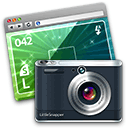
littlesnapper.gif

LittleSnapper was also part of a MacHeist bundle. Useful for taking screenshots of web pages and nice graphics then keeping them to hand for inspiration.

I wish I could say I had a really neat and nicely configured LittleSnapper for all areas of inspiration but I never get around to organising it (except once when I did it on a plane).

What would you recommend?

I’m sure there are tonnes of apps out there that I haven’t tried and should be using.

If you were to recommend one really good app that I haven’t mentioned, what would it be?

Want to read more?

Psst! We're hiring an Interaction Designer at Kareo. Click here if interested.

Photo of Lee Munroe

Written by Lee Munroe.

Follow @leemunroe on Twitter for more articles on UX design.


13 Appreciated Comments

Add your comment

  1. Mark McCorkell says:

    I love using Mailplane too – it really does make Gmail so much better to use. I have never used MacJournal so might check that out.

    Does LittleSnapper capture full web pages including the typekit fonts that are embedded? Some of the screen capture apps I tried before were ignoring the typekit fonts, which was a bit frustrating.

    Have you ever used PathFinder? http://cocoatech.com/
    I simply couldn’t use my Mac now without it. It really does pimp out your Finder window and lets you work faster on multiple projects shifting easily through directories. Being able to have “tabs” open in your finder is so useful when you are moving files around. If you haven’t used it before, check it out… would definitely be useful for you.

  2. Simon Fraser says:

    My favorite app would have to be Alfred the quicklaunch application, It’s not the most feature intensive app in the world and there are others about that do similar but Alfred has the right features and always works.

    http://www.alfredapp.com

  3. Shane says:

    Have you tried TotalFinder? http://totalfinder.binaryage.com

    It adds tabs to Finder (amongst other things) which I could not do without now.

  4. Johnathan Barrett says:

    I’ve started to use Evernote (http://www.evernote.com/) a lot as it can keep all notes on my Mac, iPhone and iPad in sync, I find it a lot easier to use it for quick notes than TextEdit where I have to go through the process of saving the note and having to actually share it with my other devices instead of it going automatically.

    I’ve also started using ExpanDrive (http://www.expandrive.com/mac), an awesome Mac (maybe Windows too) app that allows you to connect to an FTP, SFTP, Amazon and something else. But it allows you to access those files through Finder like you would if they were on your hard drive. I use it for connecting to the development server in work so I can work straight on there instead of saving the file then transferring it over. Really speeds up development time.

  5. David Turner says:

    I use the majority of those apps myself. I tend to prefer Thoughts (http://www.thoughtsapp.com/) to MacJournal and Nambu (http://nambu.com/) to Tweetdeck, though it doesn’t have the same functionality.

    I’m also a big fan of Alfred (http://www.alfredapp.com/) as Simon pointed out above, as well as LESS.app (http://incident57.com/less/) which I have found to really speed up my CSS coding when used correctly.

  6. David McDonald says:

    Cheers Lee,

    I’m still loving Quicksilver, Fluidapp, Textexpander, Kiwi, Timeout2, Omnifocus, Soulver, Skitch, Dropbox, Hazel, Pastebot and Defaultfolder…

    To name but few!

  7. Lee says:

    Wow, loads of useful apps there I haven’t tried. I may have to set aside a day to look at all these. Will let you know the report :)

    @Mark: Yes, LittleSnapper captures TypeKit too

  8. John Paul says:

    Cool ..Thanks for sharing!

  9. Gareth Boyd says:

    I’ve never really gotten used to TweetDeck funnily enough, eventually I just got back to using Tweetie more again, TweetDeck seems a bit too complicated or their interface is too ‘busy’ lets just say.

  10. Xaby Web Design says:

    I use most of the apps. Loving google chrome :) the speed is awesome and YES the CSS3 which is totally an eyecandy :) Thanks for sharing.

  11. Xplore Studio says:

    I just love these apps. Thank you very much for the post – I just love this eye candy!

  12. Siteroom says:

    I used to use TweetDeck but then switched to HootSuite. The main benefit is it indicates where you last looked at your feeds, so all the new tweets/posts are clearly highlighted. It’s also accessed via the browser so you can login from any computer.

  13. Marty McColgan says:

    I deal with lots and lots of photos and image files for website gallerys and xml, so for me Name Changer is very quick and handy for changing file names and extensions quickly http://web.mac.com/mickeyroberson/MRR_Software/NameChanger.html