As a freelance web designer it makes sense to have a number of documents prepared as you tend to use the same ones over and over again. I thought I would share with you the 5 documents that I have prepared and ready to use, along with some excellent examples from other designers and studios.

1. Website Planner
planner

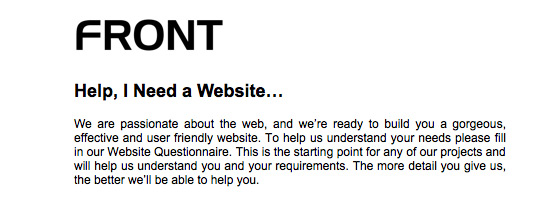
The website planner is sent out to potential clients to gather their requirements. This gives you a quick overview of the project and helps you decide whether you want to take it on or not.

The goal is to find out:

  1. Who the client is
  2. What the client does
  3. What the project is
  4. What the client wants (deliverables)
  5. An understanding of their market and competitors
  6. What they like and don’t like (about their current site and other sites)
  7. Budget and time
Examples

2. Emails

I have several email templates that I save in a plain text file. This is to save me retyping the same emails over and over. Templates include:

  • For when you are interested in a project and attaching a website planner
  • For when you don’t have time to take it on and have to decline it (and maybe recommend someone else)
  • Sending a proposal to a potential client
Example

Hi Bill,
 
Thanks for your email. I’m afraid I’m booked up with several projects at the moment so don’t have time to take on the redesign of Microsoft.com

You might like to try Steve from Apple.com - another very good designer that I highly recommend.

Best of luck with your project

3. Contract/Proposal
contract

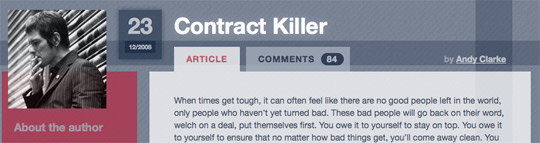
Once you’ve gathered your clients requirements and have a good understanding of what they require, you need to send them a contract and proposal. Things this document should include:

  1. Outlines both parties obligations
  2. What you are going to produce and the deliverables
  3. How much the project will cost
  4. Payment plan e.g. 50% up front deposit, 50% on completion
  5. Signatures from both parties
Examples

4. Services & Pricing
services

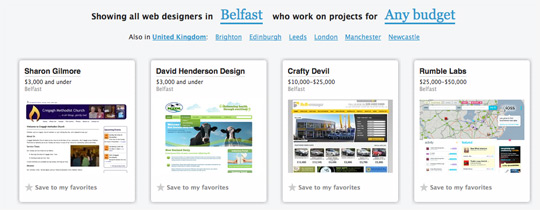
I personally don’t use this one (so I wouldn’t call this essential) but it’s useful to have. A document outlining your services and prices. This way you can send potential customers a list of what you do and also give them a ballpark figure for how your pricing works.

It’s good to get this out of the way up front in case their budget doesn’t suit your pricing.

Examples

Haystack shows rough pricing costs for studios.

5. Invoice
invoice

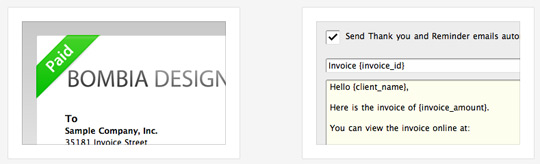
An invoice template that you can send to clients requesting payment. I highly recommend you use some sort of invoicing system, there are lots to choose from.

Invoices should include:

  1. Who the invoice is to (client)
  2. Who the invoice is from (you)
  3. Date and invoice number
  4. Service(s) carried out
  5. Total costs
  6. Any terms e.g. Payment required on receipt of invoice
  7. A little thank you note
Examples

What do you have prepared?

Do you have any other documents at the ready? Please share with myself and others below.

Web Designire
Lee Munroe
About the author

Lee Munroe is a freelance web designer from Belfast Northern Ireland. Like this article? Feel free to follow Lee on Twitter.

Comments

Add a comment
  1. Gravatar

    Thanks for the handy list Lee. FWIW, I also found this Smashing Mag article on invoice design useful:

    http://www.smashingmagazine.com/2009/11/05/invoice-like-a-pro/

  2. Gravatar

    How’d I miss that? Thanks John!

  3. Gravatar

    Hi there
    Thank you for your article! Here some comments (maybe more for mac users)

    for 2) use http://mailtemplate.mactank.com/ what a great and simple app. It will save you time.
    for 3) and 4) why not melt togehter. Decleare your services in your estimate at least your hourly rate.
    5. for estimates, timetracking and billing and reports: Billings is my choice

    best regards
    Raphael

  4. Gravatar

    This is a sorely underblogged topic. I’ve seen various roundups and best practices on several of the areas above, but actual examples are hard to come by. My collateral is better than it used to be (non-existent!), but this post is going to help a bunch. Thanks!

  5. Gravatar

    Nice post! v handy

  6. Gravatar

    I’d give FreeAgent a spin where invoicing is concerned, love ‘em & the customer service is second to none!

  7. Gravatar

    Great post. Thanks for the list!

  8. Gravatar

    Useful article Lee, thanks. A semi-related question, after looking at your screenshots … have you considered listing yourself on Haystack? Have mixed feelings about it myself …

  9. Gravatar

    @raphael: That email template app looks awesome - nice find (now if only I used Apple’s Mail app)

    @David: Haven’t listed myself yet, but that’s only because I’m not looking work at the minute. Couldn’t hurt to add yourself though

  10. Gravatar

    A new website wants you to add their energy drink to your essentials. http://www.ElanceEnergy.com, targets their drinks to freelancers with flavors like Logo Lemonade and Website Watermelon. Kind of cool. I’ll try it!

  11. Gravatar

    This is a great list! For someone considering diving in to the freelance waters these steps and examples are invaluable. I have dabbled my toe in freelance with a few projects here and there, so I have had a taste of the business. I’m at the point where I am learning from my mistakes and the experience of others.

    Great stuff!

  12. Gravatar

    Extremly handy article; thanks!

  13. Gravatar

    Website planners are amazing tools, vastly underestimated, but having them as an ‘email checklist’ for clients to fill in and get back to you is actually damaging your ‘upsell’ opportunities.

    I conduct a business review, and have done since I started sales, Its essentially a website planner but it is also aimed to draw out other sales opportunities, i.e print design, business stationary, advert design, email marketing and now guerella marketing services, that although the client only approached you with one sales querry, you can potentially (depending on your sales skills) walk away with a bigger contract.

  14. Gravatar

    Great roundup of the ‘really important’ stuff. Any good examples of prebuilt (or canned) emails?

  15. Gravatar

    Great article, thanks for sharing these tips and insights!

  16. Gravatar

    Nice article! Clear agreements are necessary.

    I highly recommend the Astuteo Project Estimator: nicely done online app. http://astuteo.com/estimator/

  17. Gravatar

    very helpful post. I did not know about some of the tools and methods described here. Thanks!

  18. Gravatar

    @Alan Anderson: A business review sounds like a great idea Alan, although I guess it depends what services you offer (e.g. I try to stay away from print etc. and focus on good quality front end design/dev). Do you conduct a business review for every enquiry?

    @Larry: Super, nice link http://astuteo.com/estimator/

    @Ted: No set examples (apart from the example used above). I tend to just save templates all the time if I notice I’m using them more than once. And they tend to change over time too with slight iterations

    Thanks for all the comments. Some great links and words of wisdom

  19. Gravatar

    Hi Lee,

    Brilliant article, it is big help to all new designers. I’ve always been unsure what type of documents I should use and I do be afraid of bombarding my clients with them.

    Whenever I speak to a new client to talk about pricing they are always not happy to part with 50% of the price upfront. This really frustrates me but sometimes the job is interesting and I really want the new client. I end up dropping down to about 35%. Do you ever have this problem? (Perhaps if I become more established I will not have this problem)

  20. Gravatar

    Just downloaded some of these client planners (from the links). I think they’ll come in pretty useful! Many thanks for this :-)

  21. Gravatar

    @Jeff: Yeah, it depends how big the project is. Smaller projects I’ll go 50/50. Bigger projects I’ll break into 3 stages. But I think getting 35% up front is still pretty good. I remember the days when I just would have asked for it all at the end (which you should *never* do)

  22. Gravatar

    I agree with the three stage breakdown.

    I usually do the following:
    Stage #1 - Design & Architectural Planning (Deposit up-front)
    Stage #2 - Site Build (Paid on completion of Stage #2)
    Stage #3 - Client Content Implementation & On-Site SEO (Paid on completion of Stage#3)

    I used to bill Stage #1 - upfront then Stages #2/#3 at the end, but those days are over :-)

  23. Gravatar

    If think is ok to serve something like a questionaire to the lead to clarify requirements. But this shouldnt be the very first step or a precondition to have contact with you (looks a little bit like this on clearleft.com.

    Maybe it depends how deep you are in the business.
    I you really want to grap a new project..give a friendly call!

    best regards
    Raphael

  24. Gravatar

    Very useful, thanks :-)

  25. Gravatar

    Lee, every enquiry gets a business review bar none [ too long in sales ;) ]. It doesn’t matter if you are focusing purely on web development or doing everything under the sun, its about extracting the maximum sales potential from the client.

    For example, a new client approaches you for a website you tell him it costs this much based on what they say they want, say for example its something simple like a static html site, no CMS, but because you haven’t asked about future plans, 12 months later then come back needing e-commerce, ok its more work so more money, but by asking the question are you going to diversify into selling online shortly, you get the e-commerce sale now, rather than risking the sale going elsewhere in a year.

    Also even if you don’t do print design, say you know someone who does, you take the sale and subcontract to that person and the client is happier as they have one point of contact for all their design needs.

    The business review is not only a sales aid but also a customer service tool that maximises your profit and increases the likelyhood of a sale.

  26. Gravatar

    Cheers Lee. I also use to wait to till the end of the project to get paid. I got ripped off badly one time. Client decided they didn’t neeed a website and I had no formal contract so didn’t get a penny, even though the site was near completion. I learnt my lesson that day.

  27. Gravatar

    Awesome post as usual Lee. I think these are some amazing time savers that apply to designers everywhere. I love the #1 examples too. They look great.
    Cheers,

  28. Gravatar

    Hi Lee

    Really interesting article, good points.

    I find the toughest part is trying to sort out a contract and getting this signed by the customers, they are often reluctant to agree to this level of official documentation.

    This may be due to working with small businesses ?

    Steve

  29. Gravatar

    @raphael: Depends - if you get 20 enquiries a day you need to filter it down somehow (especially if you’re a freelancer as you can’t spend all day on the phone, or if dealing with international clients). I think from a freelancers point of view, or certainly my point of view, I want to find out if it’s a project or client that I’m interested in straight away - no pussy footing around. If they’re serious about wanting you to work on their project, then they’ll have no problem filling in the planner :)

    @Steve: Have never had a problem getting a client to sign a contract, but my contracts wouldn’t be that serious. Basic outline of their responsibility (getting assets and feedback to you in timely manner), your responsibility (what you’re delivering and in a timely manner) and payment plan. If they don’t want to sign something like that, ask them what’s stopping them and work with them to resolve the issue. If they still don’t want to sign anything I’d be weary of them.

    I don’t know how well my contracts would hold up in court - thankfully I’ve never had to find out. But a signed piece of paper still gives both sides ease of mind and you both know where you stand.

  30. Gravatar

    Great post Lee.

    I personally have compiled different templates as well, emails, PDF portfolio, Invoice, and more.

    I never thought about doing a website planner. Should be helpful. Thanks again!

  31. Gravatar

    Hey Lee,

    At http://www.workingpoint.com we have many tools for freelancers to keep track of their business. We have free invoicing in different formats.

  32. Gravatar

    A real handy article for all freelancers out there.

  33. Gravatar

    Thanks for the info - will be using soon

  34. Gravatar

    I’m currently working on an app called QuoteRobot that’ll help designers create proposals from templates.

    http://quoterobot.com

    I built it because my proposal template was downloaded so many times off my blog.

  35. Gravatar

    Thanks for this useful post. But any reference about how to pricing the website.

  36. Gravatar

    Good stuff, especially that link to Andy Clarkes killer contract - brilliant read.

  37. Gravatar

    Hello, I have a client that has promised payment for a few weeks now, but has come up with a half dozen excuses of why he wasn’t able to get the payment out….all bs, of course. I would like to know: can I legally seize his domain until payment has been made? I have full admin access to his domain acct and have changed the password to prevent him from getting into it.
    Thanks, Leigh

  38. Gravatar

    Hey Lee,

    Thanks for using Front as an example of a good template. It does come in handy getting the broad outline of a project together when you hear from someone who doesn’t have a written brief yet.

    In truth, I think we did this back in 2005/2006 after seeing Happy Cog’s project planner so credit where it’s due :)

  39. Gravatar

    Good resources Lee. I’m definitely liking The Invoice Machine, definitely seems like better features than Freshbooks, and cheaper to boot. Beats the standard Paypal invoicing. Andy’s article on Contracts and the examples of Client Questionnaires from Happy Cog and Buffalo should come in handy too, as i’m lagging behind in the business paperwork department.

  40. Gravatar

    Was looking for some usefull documantation ideas thank you.

  41. Gravatar

    Great post Lee.

    I personally have compiled different templates as well, emails, PDF portfolio, Invoice, and more.

    I never thought about doing a website planner. Should be helpful. Thanks again!

Add a comment