This past week I shipped Flask, a website for creating quick simple sharable to do lists.
Why make (another) task management application?
I was watching Ryan Bates’ screencast to learn CoffeeScript and he uses a sortable list as an example project.
After following his screencast, I already had a basic to do application started.
Around the same time I had a need to create and share a list with a friend for a project we were working on. I knew of lots of task management apps, but they all required sign up, download or payment.
I just wanted to quickly create and share a list, with no barriers to entry. So I built Flask.
- Create to do lists
- Add as many tasks as you want
- Re-order, edit and delete tasks
- Share your lists for others to access
- Access from anywhere
- Use any device
- No sign up required
- Nothing to download
- It's free
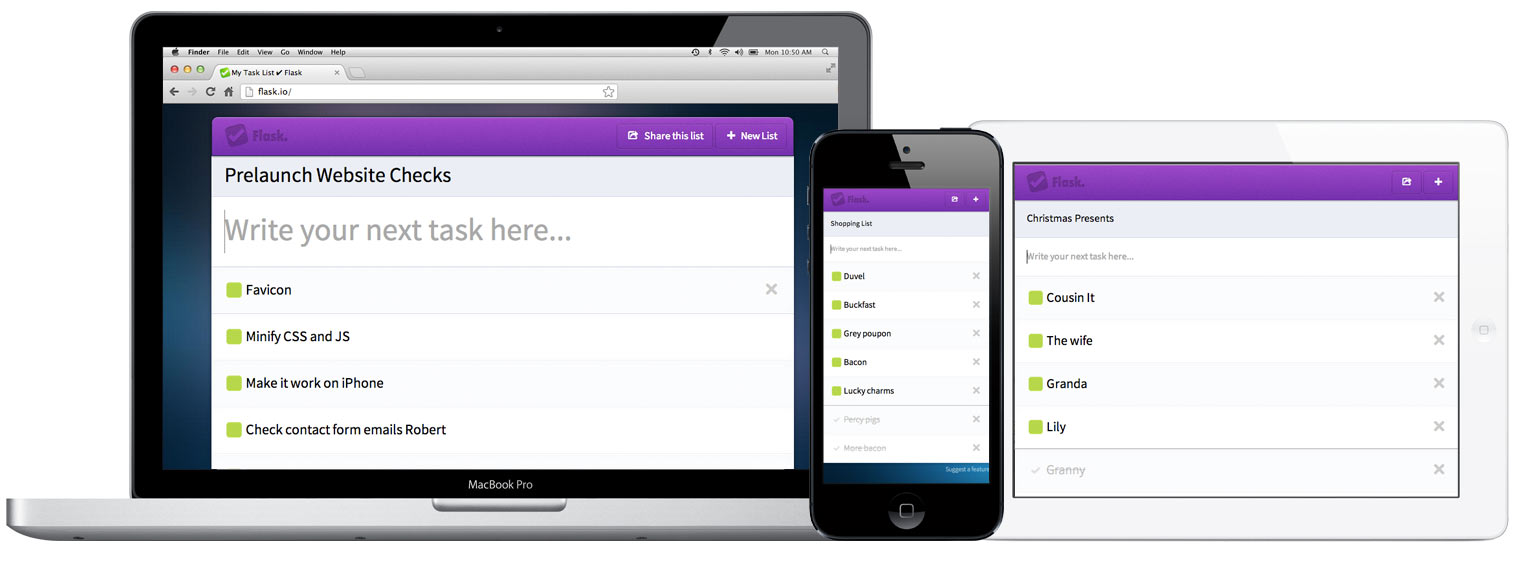
No sign up required
There are tons of to do list and task management applications out there but they all have one thing in common; you’re required to sign up to use them.
Sign up sucks, and typically straight after signing up your inbox gets spammed</strong> with “Welcome to…”, “We just released…” and “It’s been a week…” emails.
Flask doesn’t require sign up so don’t worry about spam or emails you have no need for.
If you want to collaborate with a friend, just share the URL. No formal invitations or requiring them to sign up.
Flask works on desktop and mobile devices. No special native downloads required to make it work and you can access lists from anywhere.
And it’s free, just give it a whirl.
What features is it missing?
If you find it useful I’ll definitely add more features. Feel free to request features and give me feedback here.
Receive more design content like this to your inbox
I promise not to spam you. No more than one email per week.